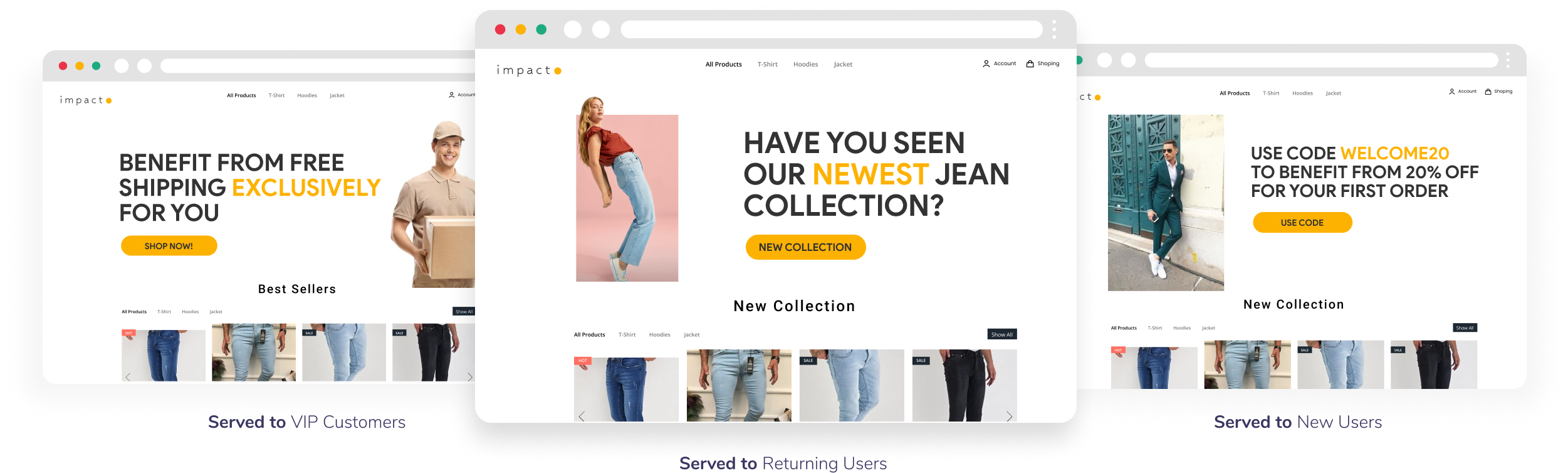
Web Personalization

Web Personalization is for dynamically adapting website content and UI for each visitor. Use it to display targeted banners, product recommendations, or tailored messaging that boosts engagement, conversions, and user satisfaction. Define rules and filters for specific audiences, then publish changes without code deploys.

circle-info

This feature lives under Web Tools → Experiences → Web Personalization.

Start here (most-used topics)

Quickstart: publish a personalization experience

1

1) Decide what you will change

Examples: hero banner, CTA text, pricing block, homepage modules.

2

2) Define who should see it

Use filters like Segment, Tag, device type, page URL, time spent, source URL.

3

3) Pick trigger + schedule

Use page load for most sites.

Use continuous for single-page apps.

4

4) Add changes and edit the page

Select elements on the page and apply CSS/HTML changes.

5

5) Save and publish

Use preview first.

Then publish and monitor impact.

Key concepts (fast)

  • Experience: one personalization variant with its own rules and changes.

  • Filters: who is eligible (segment/tag/device/page/source/etc).

  • Changes: what to modify on the page (CSS/HTML edits).

  • Trigger: when to apply (page load vs continuous).

Last updated

Was this helpful?