WhatsApp

WhatsApp is the most widely used messaging platform in the world, with 3 billion monthly active users in the world. With WhatsApp, you can:

  • Reach out to customers on your most frequently used app.

  • Achieve high click-through and conversion rates.

  • Assure more personal, immediate, and trusted communication experience.

Start here (most-used topics)

Quickstart: send your first WhatsApp campaign

1

1) Connect WhatsApp (Meta) to Netmera

You need a Meta Business Manager + WhatsApp Business account + sending number.

2

2) Create and approve templates in Meta

Businesses can start conversations only using approved templates.

Netmera syncs templates after approval.

3

Upload users with Whatsapp Number and consent, then target only eligible users.

4

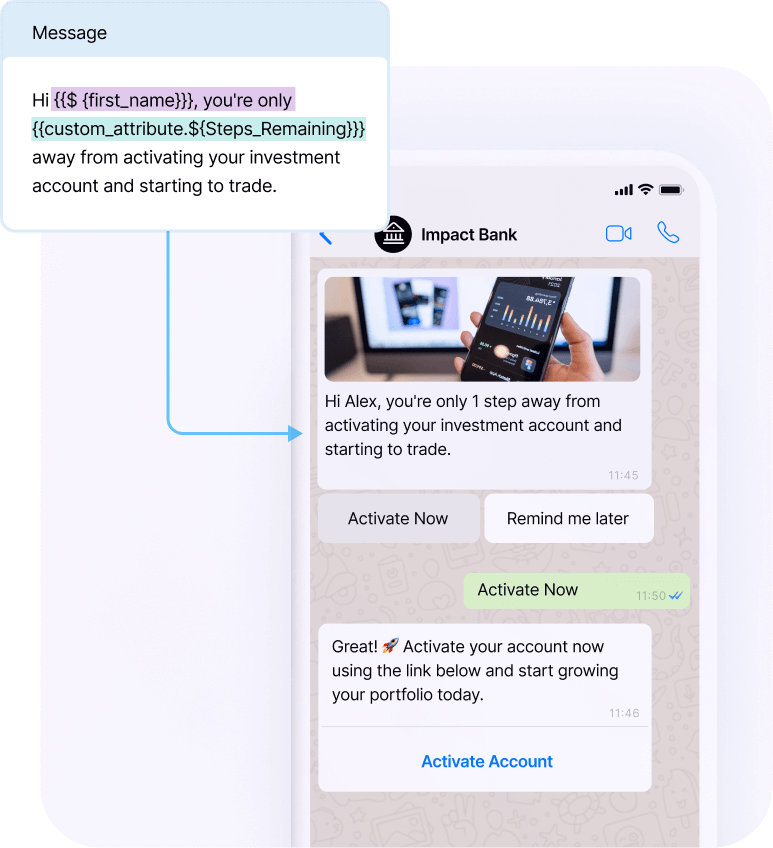
4) Compose + personalize and test

Map template variables ({{1}}, {{2}}) to profile attributes.

5

Without webhooks, sending works.

With webhooks, you get delivery + read metrics in reports.

Netmera gives you the workflow to:

  • pick an approved template

  • map variables to user data

  • target audiences (segments/tags)

  • schedule and send at scale

  • analyze sent/delivery/read

WhatsApp campaigns use pre-approved templates.

Netmera supports Marketing and Utility templates.

Template parts:

  • Header (optional): text or media

  • Body (required): up to 600 characters

  • Buttons (optional): up to 2 (URL, call, copy code, quick reply)

circle-info

If you care about reporting, configure Meta webhooks.

See: WhatsApp Integration.

Common use cases

  • Announcing a new product or service. (Marketing)

  • Sending discounts, promotions, or vouchers. (Marketing)

  • Running awareness campaigns to reach large audiences. (Marketing)

  • Retargeting users who recently visited your app or website. (Marketing)

  • Order/payment/shipping updates (Utility)

  • Appointment and reminder flows (Utility)

Last updated

Was this helpful?