> For the complete documentation index, see [llms.txt](https://user.netmera.com/netmera-user-guide/llms.txt). Markdown versions of documentation pages are available by appending `.md` to page URLs; this page is available as [Markdown](https://user.netmera.com/netmera-user-guide/whats-new/2025.md).
# 2025 release notes
See what shipped in Netmera in 2025, including the WhatsApp unsubscribe button, targeting and widget updates, email deliverability, permissions and dashboards.
## December, 2025
This release expands control across WhatsApp, targeting, widgets, deliverability, permissions, and dashboard reporting.
### WhatsApp
#### Let users opt out of WhatsApp in one tap
WhatsApp templates now support a built-in unsubscribe action.
* Add an **Unsubscribe button** to WhatsApp message templates
* Update WhatsApp permission instantly after opt-out
* Log the opt-out as an event for visibility and compliance tracking
[Let Users Opt Out of WhatsApp in One Tap](/netmera-user-guide/omnichannel-engagement/whatsapp/whatsapp-unsubscribe-button.md)
### Targeting
#### Manage blacklist and whitelist status at scale
Blacklist operations are now available as a dedicated bulk workflow.
* Run uploads from **Targeting → Blacklist Upload**
* Add users to blacklist or remove them from blacklist in bulk
* Apply changes across SMS, Email, Push, Web Push, and In-App Widget
[Manage Blacklist and Whitelist Status at Scale](/netmera-user-guide/targeting/blacklist.md)
### Widgets
#### Create immersive full-screen in-app experiences
Mobile widgets now support a full-screen layout.
* Use full-screen widgets for onboarding flows
* Build high-impact promotion screens
* Focus users on a single in-app experience
[Create Immersive Full-Screen In-App Experiences](/netmera-user-guide/omnichannel-engagement/widgets/build-a-widget/configure-widget-settings.md#full-screen)
#### Never show an empty reward — Spin to Win stops automatically
Spin to Win now reacts automatically when coupon inventory expires.
* Set expired slices to **0%** weight
* Rebalance the remaining slices automatically
* Mark the campaign as **Finished** when all slices run out
[Never Show an Empty Reward — Spin to Win Stops Automatically](/netmera-user-guide/omnichannel-engagement/widgets/build-a-widget/spin-to-win-campaigns.md#manage-coupon-availability)
#### Prevent expired coupons from disrupting live campaigns
Coupon campaigns now close cleanly when all available coupons expire.
* Mark the campaign as **Finished** when all coupons expire
* Keep the reward experience aligned with valid coupon inventory
[Prevent Expired Coupons from Disrupting Live Campaigns](/netmera-user-guide/omnichannel-engagement/widgets/target-and-publish/publish-a-mobile-widget.md)
### Email
#### Debug and optimize email deliverability with bounce reasons
Email bounce analysis now exposes more detail in reporting, user records, and segmentation.
* Break down Email Bounce by **Bounce Reason** and **Bounce Detail** in Event Insight
* Review provider feedback with **Error Code** and **Error Message** in User Details
* Build bounce-aware segments with bounce attributes
[Debug and Optimize Email Deliverability with Bounce Reasons](/netmera-user-guide/reports-and-analytics/reports/delivery/campaigns/email-reports.md#bounce-reasons-across-netmera)
### SMS
#### See exactly why SMS messages fail
SMS failures are now easier to investigate at user level.
* Track failed SMS deliveries as a separate panel metric
* View provider-returned failure details in **User Details**
* Review errors such as invalid number, insufficient balance, or operator rejection
[See Exactly Why SMS Messages Fail](/netmera-user-guide/reports-and-analytics/reports/delivery/campaigns/sms-reports.md#investigate-failure-reasons)
### Permissions & dashboard
#### Assign channel-specific roles to match your team structure
Role management now supports channel-based access control.
* Assign separate roles for **Mobile**, **Web**, **Email**, and **WhatsApp**
* Limit access by channel ownership
* Reduce accidental changes across teams
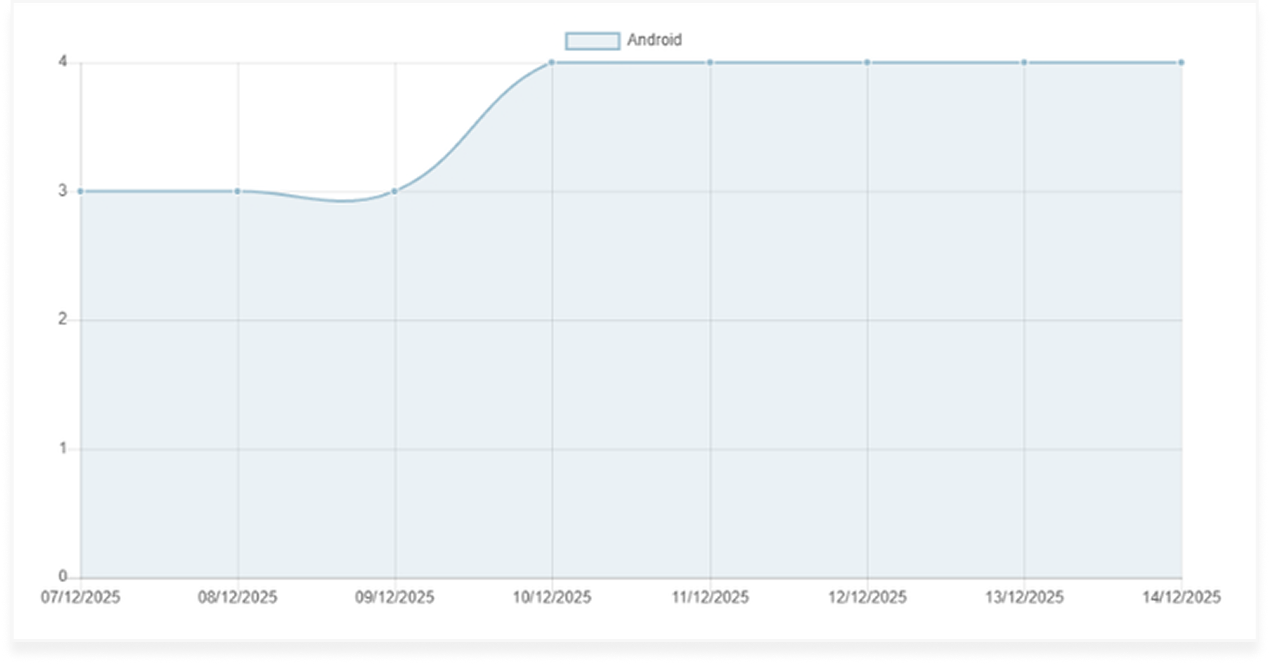
#### Track app version adoption with richer dashboard metrics
The Application Version dashboard now exposes clearer adoption metrics.
* View **Device Count** and **User Count**
* Track **Daily Active Devices** and **Daily Active Users**
* Export the same metrics for deeper analysis
[Track App Version Adoption with Richer Dashboard Metrics](/netmera-user-guide/reports-and-analytics/reports/app-and-systems/application-version.md)
## November, 2025
This release improves send-time optimization for more predictable delivery timing.
### Best time delivery
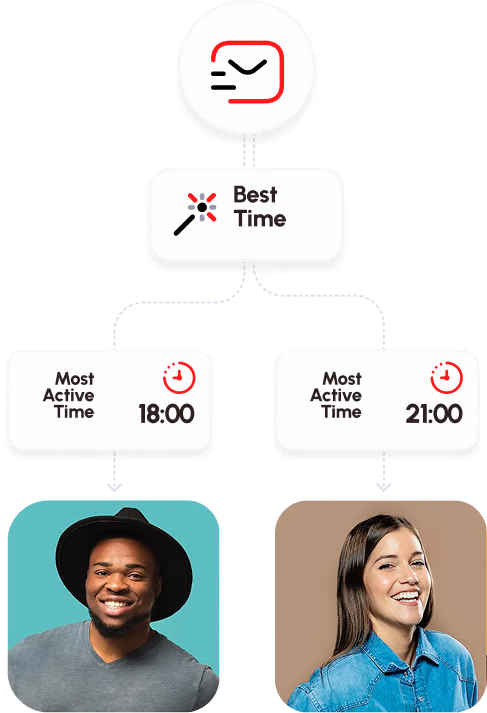
#### Deliver at best time for your users
Best Time Delivery now calculates send timing with higher reliability.
* Improve timing accuracy using historical engagement patterns
* Deliver messages more consistently at each user's likely engagement window
* Increase confidence in automated send-time optimization
[Best Time Delivery](/netmera-user-guide/ai-features/best-time-delivery.md)
## October, 2025
This release adds deferred deep linking across owned channels for end-to-end attribution and routing.
### Deferred deep linking
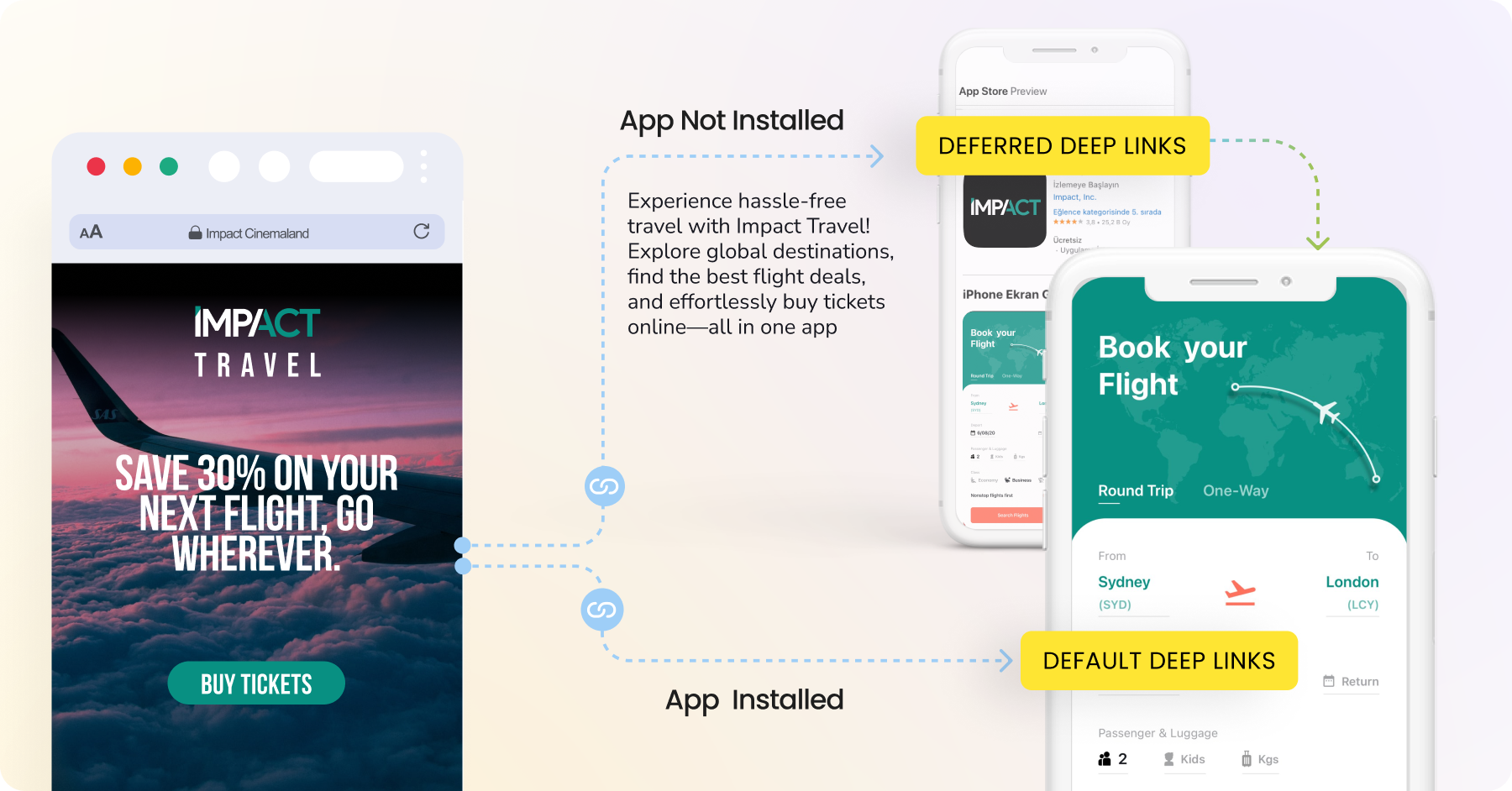
#### Deferred deep link: end-to-end communication across your owned channels
Deferred Deep Links now support owned channel journeys from click to install and conversion.
* Use deferred deep links across SMS, Email, Push, QR codes, and Web Widgets
* Preserve campaign context when the app is not installed at click time
* Route users to the intended in-app destination after install
* Track attribution across the full owned-channel journey
[Deferred Deep Link: End-to-End Communication Across Your Owned Channels](/netmera-user-guide/smart-linking/deferred-deep-link.md)
## September, 2025
This release adds WhatsApp as a channel, expands widget actions, and gives Email unsubscribe flows more control.
### WhatsApp
#### Power your WhatsApp messaging with Netmera
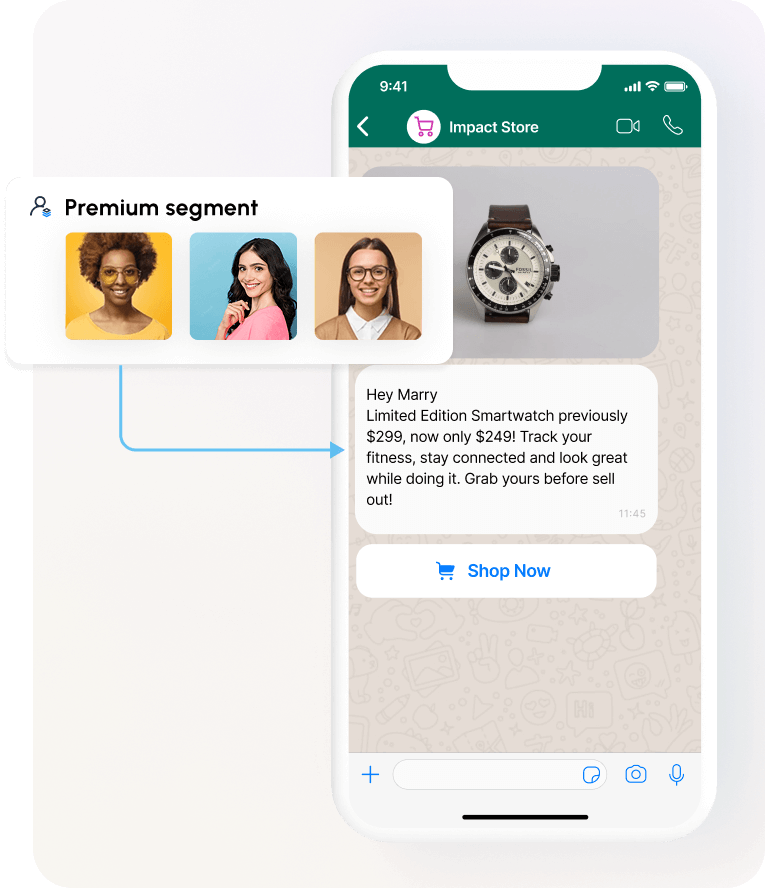
WhatsApp is now available as a Netmera messaging channel.
* Reach users on WhatsApp from the same platform
* Support real-time one-to-one messaging flows
* Add WhatsApp to your owned-channel communication mix
[Power Your WhatsApp Messaging with Netmera](/netmera-user-guide/omnichannel-engagement/whatsapp.md)
### Widgets
#### Countdown on widgets
Widgets now support countdown timers for time-sensitive campaigns.
* Add countdown timers to widget views
* Use them for limited-time offers, flash sales, or reminders
* Combine countdowns with buttons or images in the editor
[Countdown on Widgets](/netmera-user-guide/omnichannel-engagement/widgets/build-a-widget/widget-elements-reference.md#countdown)
#### Copy coupon button on widgets
Widgets can now copy coupon codes directly to the user's clipboard.
* Add a copy coupon button to supported widgets
* Let users copy discount codes in one click
* Reduce friction in the redemption flow
[Copy Coupon Button on Widgets](/netmera-user-guide/omnichannel-engagement/widgets/build-a-widget/widget-elements-reference.md#copy-button)
{% columns %}
{% column %}
#### Hidden button preview
{% endcolumn %}
{% column %}
#### Visible button preview
{% endcolumn %}
{% endcolumns %}
### Email
#### Custom email unsubscribe pages
Email unsubscribe flows now support custom hosted pages.
* Build your own unsubscribe page design
* Control branding, layout, and optional survey content
* Keep consent tracking and reporting connected to Netmera
[Custom Email Unsubscribe Pages](/netmera-user-guide/omnichannel-engagement/email/email-unsubscribe-page.md#option-2-custom-unsubscribe-page-you-host)
## August, 2025
This release improves SMS testing and gives widget builders more control over close button placement.
### SMS
#### SMS testing: add test users by external ID
SMS test sends now accept External ID in addition to phone number.
* Add test users with **External ID (ExID)** and mobile number
* Reduce test setup errors before launch
* Validate sends against the correct user record
### Widgets
#### Move your widget’s close button anywhere
Widget close button placement is now configurable.
* Move the close icon up, down, left, or right
* Align the close button with your layout and branding
* Use the same behavior across Web and Mobile
[Move Your Widget’s Close Button Anywhere](/netmera-user-guide/omnichannel-engagement/widgets/build-a-widget/configure-widget-settings.md#position-the-close-button)
## July, 2025
This release improves widget interaction behavior and adds more control to export generation.
### Widgets
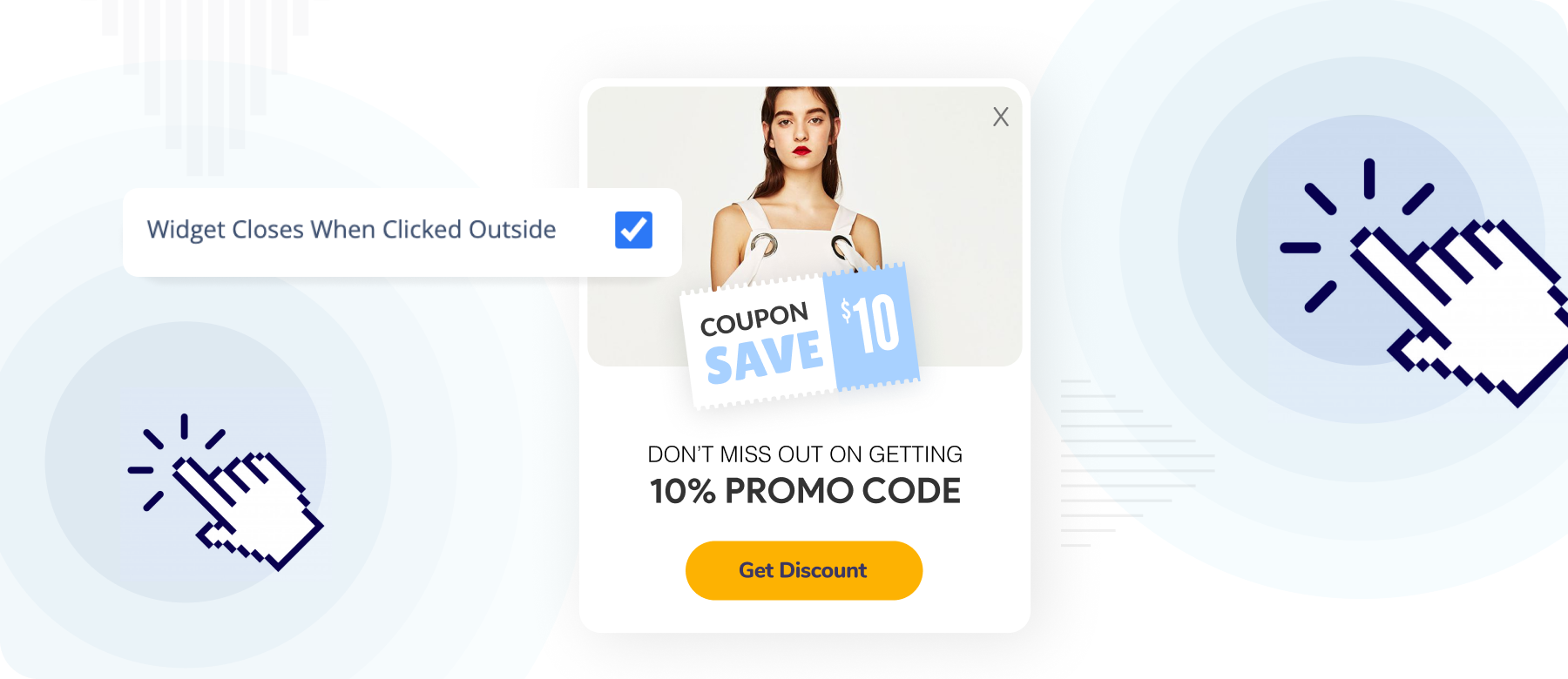
#### Dismiss widgets by clicking outside
Widgets can now close when users click outside the widget area.
* Enable outside-click dismiss behavior as an optional setting
* Support the same interaction across Web and Mobile
* Reduce friction for dismissible widget experiences
[Dismiss Widgets by Clicking Outside](/netmera-user-guide/omnichannel-engagement/widgets/build-a-widget/configure-widget-settings.md#enable-outside-click-dismissal)
#### Email validation now in widgets
Widgets now support stricter email input validation.
* Define a custom error message for invalid email input
* Show the message immediately when users submit an invalid value
* Improve data quality at the point of collection
[Email Validation Now in Widgets](/netmera-user-guide/omnichannel-engagement/widgets/build-a-widget/configure-widget-actions-and-validation.md#validations)
### Exports
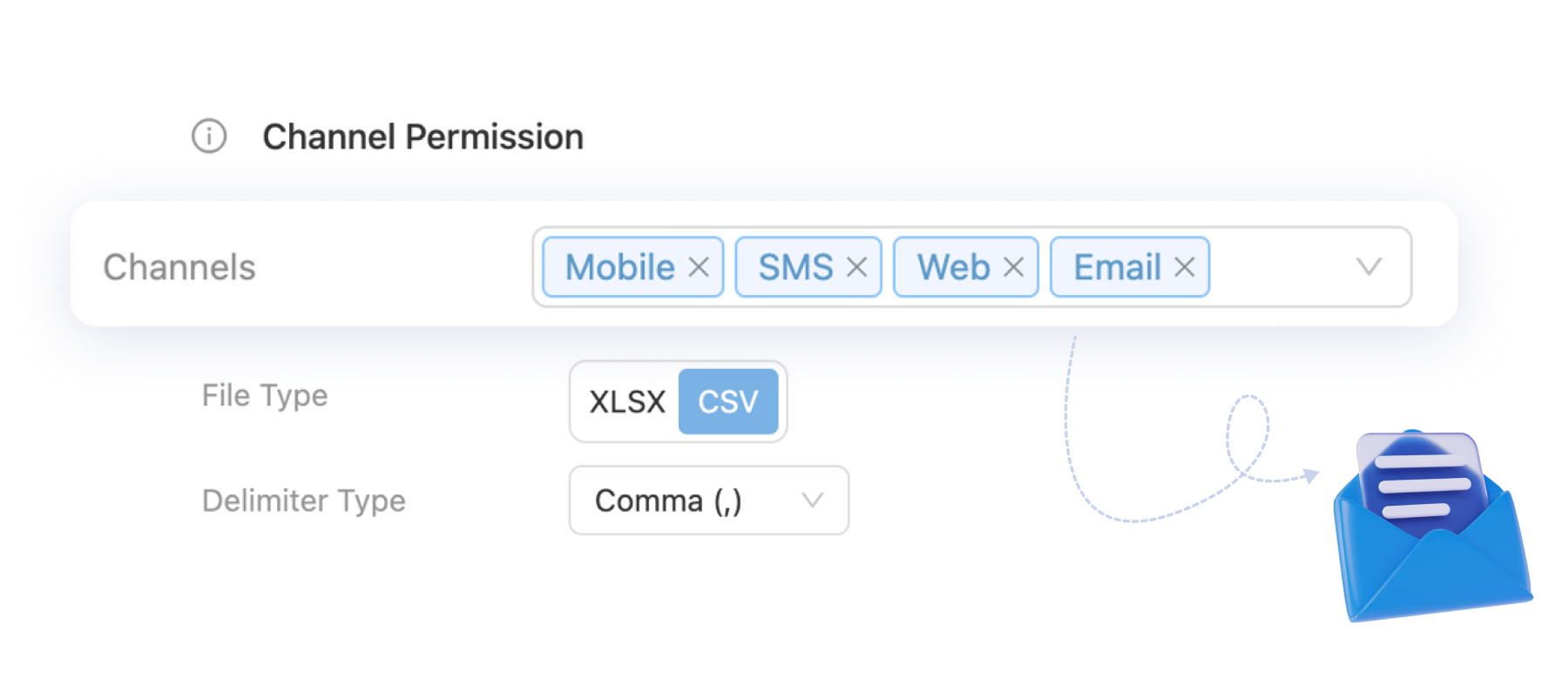
#### Channel-specific FTP data exports
FTP exports now support channel-based filtering.
* Select the specific channels to include in a report
* Export in `.xlsx` or `.csv` format
* Generate cleaner files for channel-level analysis
[Channel-Specific FTP Data Exports](/netmera-user-guide/reports-and-analytics/reports/app-and-systems/data-export.md#reports-tab)
## June, 2025
This release adds manual precision control to predictive segments and more export format options.
### Targeting
#### Fine-tune precision in predictive segments
AI-based segments now let you set precision level manually.
* Open **Targeting → Segments → AI-Based Segment → Edit**
* Adjust the new **Precision Level** field
* Save the new value or cancel to keep the current one
[Fine-Tune Precision in Predictive Segments](/netmera-user-guide/targeting/segments/predictive-segments.md#precision-level)
### Exports
#### More export flexibility: file types & delimiters
Exports now offer more file formatting options.
* Export data in `.xlsx` or `.csv`
* Reveal **Delimiter Type** when `.csv` is selected
* Choose Comma, Pipe, Tilde, Broken Pipe, Caret, or Semicolon
[More Export Flexibility: File Types & Delimiters](/netmera-user-guide/reports-and-analytics/reports/app-and-systems/data-export.md)
## May, 2025
This release turns more campaign analytics into reusable audiences and platform-specific actions.
### Journey
#### Export journey users
Journey analytics now lets you export user-level audiences directly from metrics.
* Use the new download icon next to Journey analytics metrics
* Export users in `.csv` or `.xlsx`
* Reuse exported users for tagging and follow-up campaigns
For example, if a Journey step shows users with a `failed` status, you can export that group, tag it, and target it again in another channel.
[Export Journey Users](/netmera-user-guide/omnichannel-engagement/journey-orchestration/journey-analytics.md#export-analytics-data)
### Mobile Push
#### Platform-specific push actions
Push click actions can now differ by mobile platform.
* Set separate click actions for iOS and Android via REST API
* Open the app home screen on one platform and a deep link on another
* Track delivery and behavior by platform with more precision
For example, a single push can open the home screen on iOS and a product deep link on Android.
[Platform-Specific Push Actions](/netmera-user-guide/omnichannel-engagement/mobile-push/create-mobile-push/what.md#push-click-actions)
### Email
#### Unique open rates for deeper insights
Email reports now include Unique Open metrics.
* Count how many distinct users opened the email
* Compare total opens with unique opens for clearer reach analysis
* Measure campaign engagement with less duplication
## April, 2025
This release improves click tracking detail and makes funnel analysis more precise.
### Analytics
#### Tagless tracking with item selections
Tagless Data Capture now records which specific item a user selected.
* Capture item names automatically on button taps and selections
* Track user interaction without manual tagging
* Understand which content users engage with most
[Tagless Tracking with Item Selections](/netmera-user-guide/panel-settings/settings/app-configuration/screen-tracking.md)
#### Funnels with precision targeting: segmentation & exclusion
Funnels now support tighter analysis through segmentation and exclusion logic.
* Segment users by behavior and demographics
* Use **Did Not** filters to exclude performed or skipped events
* Isolate drop-offs with more precision
[Funnels with Precision Targeting: Segmentation & Exclusion](/netmera-user-guide/reports-and-analytics/analytics/funnel.md)
## March, 2025
This release strengthens panel security and adds conversion tracking for email-driven revenue.
### Security
#### Advanced panel security
Panel access now supports stronger authentication and access restrictions.
* Enforce a minimum 12-character password
* Restrict panel access by IP on demand
* Restrict panel access by domain on demand
* Enable email OTP for panel login on demand
### Email
#### Email conversion & revenue tracking
Email reporting now measures downstream conversion and revenue activity.
* Track sales actions after users arrive from Email
* Measure app and web conversions in the panel
* Review email-attributed ROI with clearer reporting
[Email Conversion & Revenue Tracking](/netmera-user-guide/reports-and-analytics/reports/delivery/campaigns/email-reports.md)
## February, 2025
This release expands analytics, push behavior, widget deeplinking, web push reach, and retention reporting.
### Analytics
#### Web analytics
Web Analytics adds deeper visibility into on-site behavior and engagement.
* Track website interactions in more detail
* Review engagement metrics and key performance indicators
* Use the data to improve digital performance analysis
[Web Analytics](/netmera-user-guide/reports-and-analytics/analytics/user-and-audience/web-analytics.md)
#### Reinstall reports
Retention reporting now includes reinstall metrics.
* Track when users reinstall the app after uninstalling
* Identify dates and patterns behind re-engagement
* Use reinstall data to support retention analysis
### Mobile Push
#### Open widgets with push clicks
Push notifications can now open widgets directly.
* Send users from a push click into a related widget
* Reduce extra navigation steps after engagement
* Connect push campaigns to in-app experiences more tightly
[Open Widgets with Push Clicks](/netmera-user-guide/omnichannel-engagement/mobile-push/create-mobile-push/what.md#push-click-actions)
#### Notification grouping
Push notifications now support grouping by category.
* Organize notifications into separate groups
* Help users review related updates more clearly
* Reduce notification overload in busy message streams
[Notification Grouping](https://user.netmera.com/netmera-developer-guide/api-documentation/rest-api/notifications#notification-grouping)
### Widgets
#### Custom widget button deeplinks
Widget buttons can now resolve destinations from user data in real time.
* Build personalized widget button destinations
* Route users to account-specific or transaction-specific pages
* Adapt deeplinks based on profile attributes
[Custom Widget Button Deeplinks](/netmera-user-guide/omnichannel-engagement/widgets/build-a-widget/configure-widget-actions-and-validation.md#deep-link)
#### Spin to Win coupon deeplinks
Spin to Win success screens now support coupon deeplinks.
* Let users open their reward destination directly
* Shorten the path from reward to redemption
* Improve post-win experience with a direct next action
[Spin to Win Coupon Deeplinks](/netmera-user-guide/omnichannel-engagement/widgets/build-a-widget/spin-to-win-campaigns.md#configure-redirects)
### Web Push
#### Mobile web push for iOS
Web Push now extends to iOS and iPadOS mobile browsers.
* Reach iOS and iPadOS users with mobile web push
* Drive users back to your website or platform
* Expand web push coverage beyond desktop and Android
[Mobile Web Push for iOS](/netmera-user-guide/omnichannel-engagement/web-push/mobile-web-push-for-ios.md)
## January, 2025
This release improves Spin to Win styling and adds stricter display behavior for triggered widgets.
### Widgets
#### Spin to Win custom text colors
Spin Design Editor now supports per-segment text color customization.
* Apply custom text colors to individual wheel segments
* Align segment styling with brand themes
* Build more tailored Spin to Win designs
#### Instant show option for widgets
Triggered widgets can now appear immediately when conditions are met.
* Apply instant show behavior to Widgets and In-app Messages triggered by automated messages
* Show the widget immediately after the trigger condition is met
* Skip future re-show attempts if the widget cannot display at that moment
[Instant Show Option for Widgets](/netmera-user-guide/messaging-features/automated-messaging.md#instant-show)
---
# Agent Instructions
This documentation is published with GitBook. GitBook is the documentation platform designed so that both humans and AI agents can read, navigate, and reason over technical content effectively. Learn more at gitbook.com.
## Querying This Documentation
If you need additional information that is not directly available in this page, you can query the documentation by asking a question.
Perform an HTTP GET request on the following URL with the `ask` and `goal` query parameters:
```
GET https://user.netmera.com/netmera-user-guide/whats-new/2025.md?ask=&goal=
```
`ask` is the immediate question: it should be specific, self-contained, and written in natural language.
`goal` is what the user is ultimately trying to achieve, the reason they need the answer. Sharing it helps GitBook give you a better, more relevant answer. A goal is most helpful when it describes the outcome the user wants rather than restating the question. For example, with `ask=how do I create an API token`, a goal like `automate deployments from our CI pipeline` lets GitBook tailor the answer to that use case.
The response will contain a direct answer to the question and relevant excerpts and sources from the documentation.
Use this mechanism when the answer is not explicitly present in the current page, you need clarification or additional context, or you want to retrieve related documentation sections.


.png?alt=media&token=51528c6d-3c48-434a-9057-efba2c8bdaa9)





.png?alt=media&token=fb9d2009-c22e-436e-85b6-b2aeafa43ac7)


.png?alt=media&token=0def3bff-4432-4194-95c5-2117e42d0c3a)
.png?alt=media&token=2222981a-eaa4-41f0-b677-7ec8f2fdb11e)
.png?alt=media&token=fd621fdb-ddbc-4a1e-96fb-6d69473690d3)
.png?alt=media&token=d41ff49e-1554-411f-b8c1-ccc4177a363f)

.png?alt=media&token=888f597f-5081-42ac-8b2d-1e911a880f57)

.png?alt=media&token=35ab1202-007f-4f80-a34e-cdc4ffac30e8)


