> For the complete documentation index, see [llms.txt](https://user.netmera.com/netmera-user-guide/llms.txt). Markdown versions of documentation pages are available by appending `.md` to page URLs; this page is available as [Markdown](https://user.netmera.com/netmera-user-guide/omnichannel-engagement/widgets/build-a-widget/spin-to-win-campaigns.md).
# Spin to Win campaigns
Create Spin to Win widgets that award coupon codes, deep links or messages with set probabilities.
Spin to Win is a widget that awards randomized rewards. Use it for gamified promotions, lead capture, and loyalty campaigns.
Users spin a wheel to receive a coupon code, deep link, or custom message. Configure each reward's appearance, availability, and probability.
### Before you start
Spin to Win works with **Mobile Widgets** and **Web Widgets**. The wheel configuration in this guide applies to both channels.
Create and publish the widget using the standard workflow:
* [Publish a mobile widget](/netmera-user-guide/omnichannel-engagement/widgets/target-and-publish/publish-a-mobile-widget.md)
* [Publish a web widget](/netmera-user-guide/omnichannel-engagement/widgets/target-and-publish/publish-a-web-widget.md)
* [Configure widget actions and validation](/netmera-user-guide/omnichannel-engagement/widgets/build-a-widget/configure-widget-actions-and-validation.md)
Use [Coupon Code Lists](/netmera-user-guide/panel-settings/settings/messaging-and-content/coupon-code-lists.md) to prepare coupon rewards.
### How it works
{% stepper %}
{% step %}
#### Design the wheel
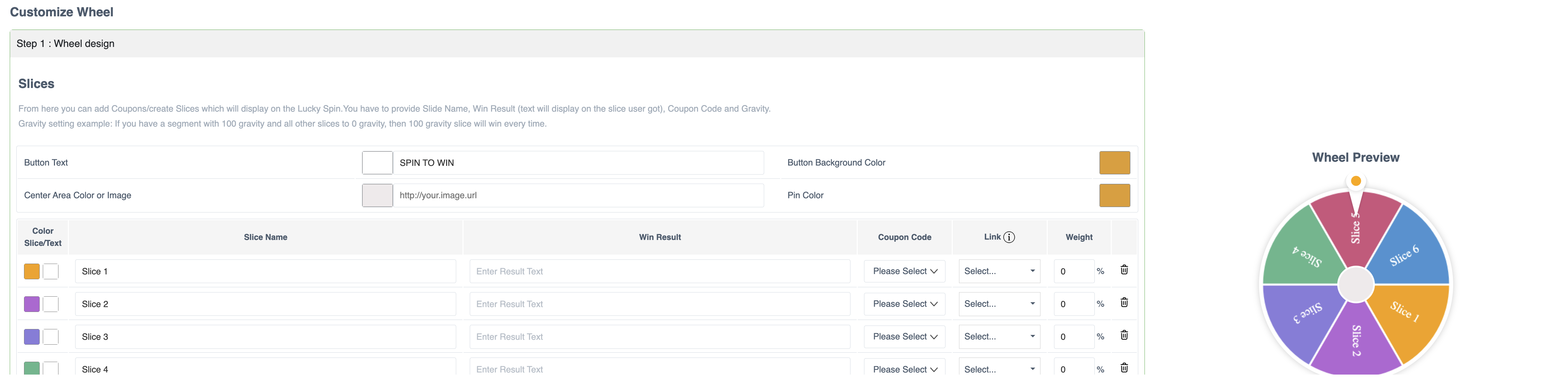
Set the wheel's slices, colors, center area, and spin button.
{% endstep %}
{% step %}
#### Configure rewards
Set each slice's result, coupon list, destination, and probability.
{% endstep %}
{% step %}
#### Deliver coupon codes
Optionally send assigned codes through transactional push or SMS.
{% endstep %}
{% step %}
#### Publish and measure
Target and publish the widget. Then track interactions and reward distribution.
{% endstep %}
{% endstepper %}
### Configure wheel appearance
Use clear button text and distinct slice colors. Keep the design consistent with your campaign.
You can configure:
* **Spin Button Text** — the label that starts the spin.
* **Button Background Color** — the button's visual style.
* **Center Area** — a logo, image, or color at the wheel's center.
* **Pin Color** — the marker that indicates the selected reward.
### Configure reward slices and odds
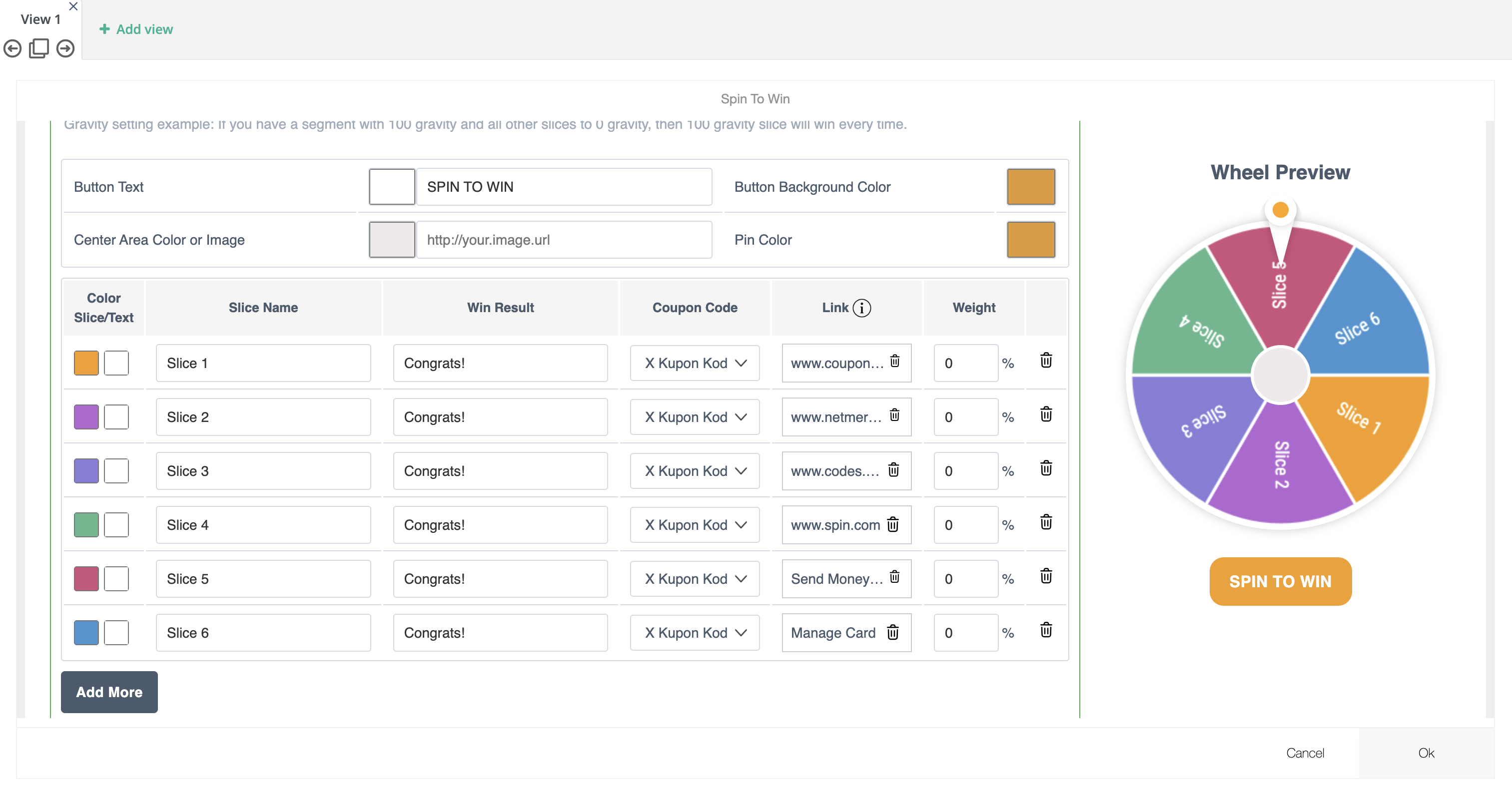
Each slice represents one possible outcome. Add at least one slice.
For each slice, configure:
* **Slice Name** — shown on the wheel.
* **Win Result** — shown after the spin completes.
* **Coupon Code List** — optionally assigns a unique code from a list.
* **Link** — optionally opens a reward-specific destination.
* **Weight** — controls how often Netmera selects the slice.
Use a lower weight for high-value rewards. Use equal weights for an even distribution.
For example, assign a **5%** weight to `50% Discount`, **30%** to `Free Shipping`, and **65%** to `Thank You`.
{% hint style="info" %}
If you do not set weights, Netmera distributes outcomes evenly across slices.
{% endhint %}
### Configure the success screen
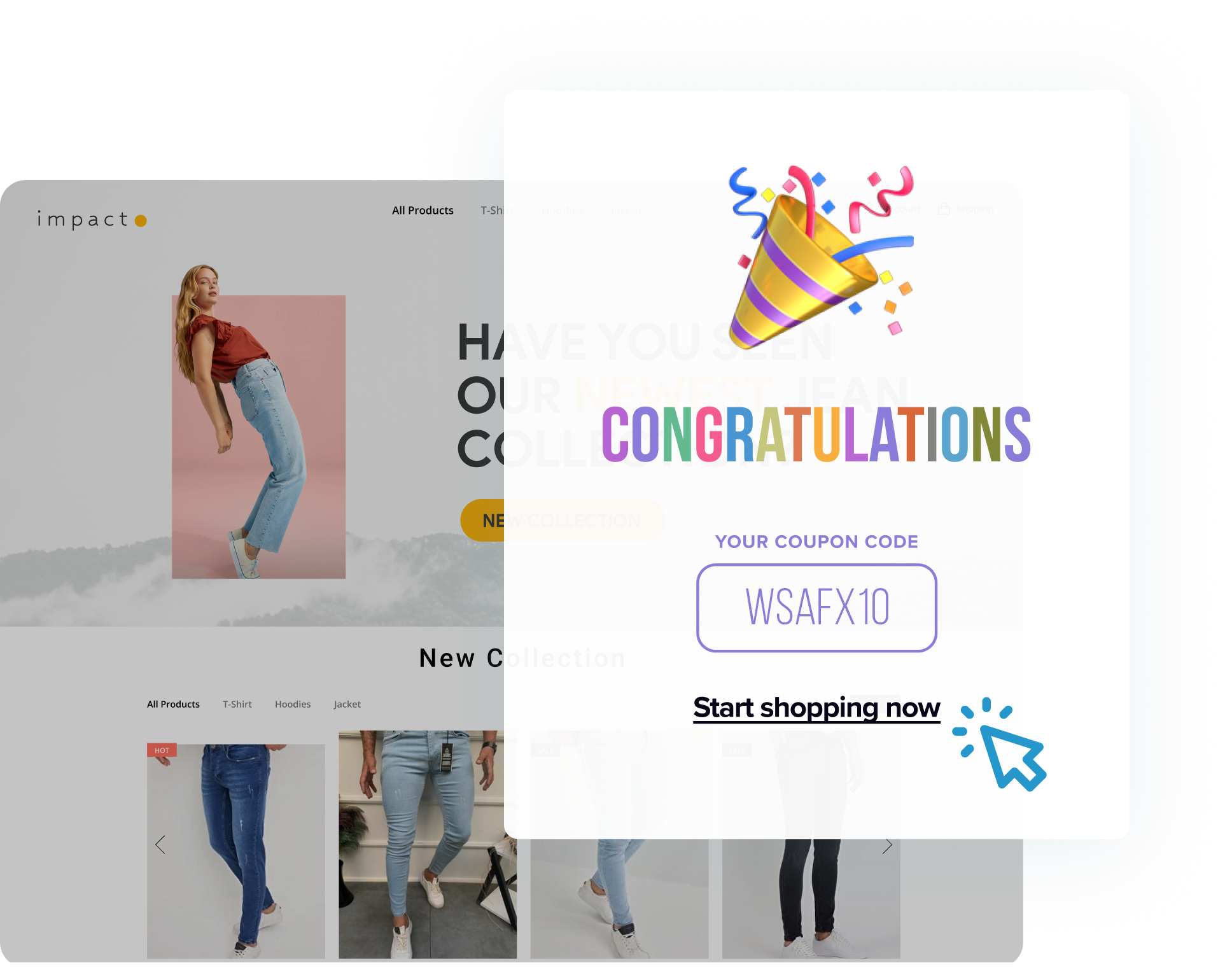
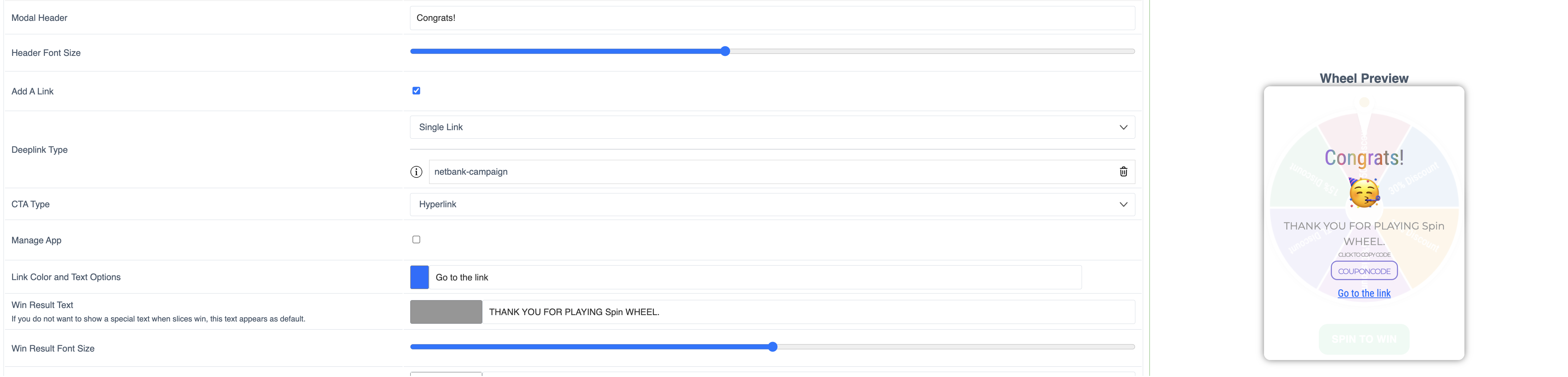
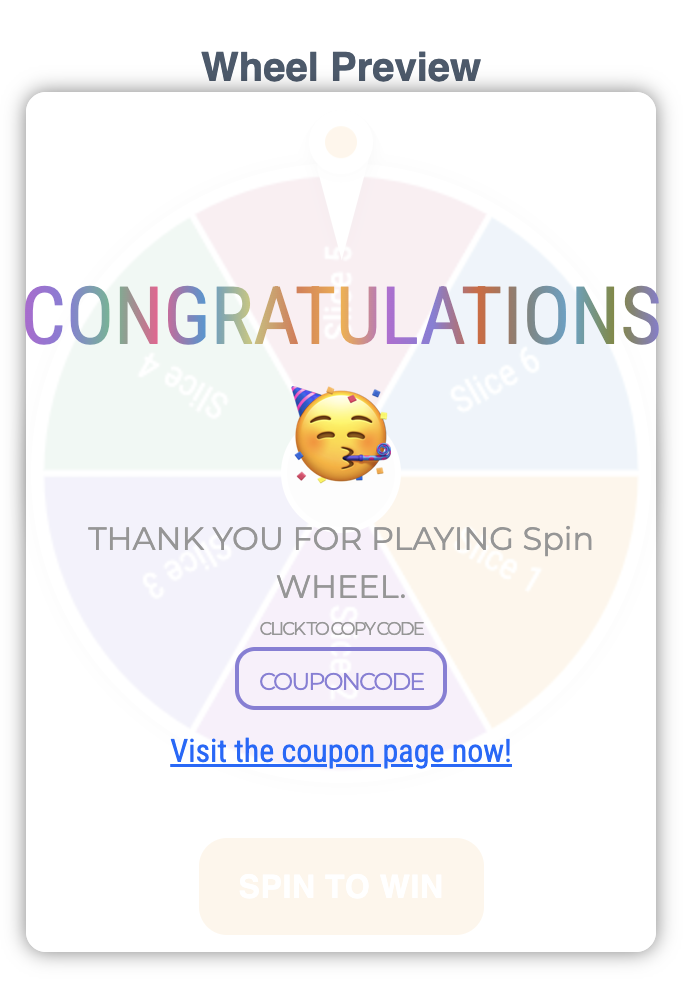
After the spin completes, users see a success modal. Make the reward and redemption path clear.
Configure:
* **Modal Header** — for example, `Congratulations!`
* **Win Result Text** — for example, `Your 10% discount code is ready.`
* **Font Sizes** and **Modal Background** — to reinforce hierarchy and branding.
* **Copy-to-Clipboard Text** — to help users save their code.
### Configure redirects
Choose whether a reward sends users to a specific destination or every outcome opens one destination.
#### Per-slice redirects
Add a link to each slice when rewards need different destinations. For example, link a product reward to its product page.
#### One redirect for every outcome
Use one redirect for a shared landing page or coupon redemption flow. Every reward opens the same destination.
#### Preview options
Button
Hyperlink
### Deliver coupon codes by push or SMS
Send an assigned coupon code through a transactional push or SMS. This helps users redeem it later.
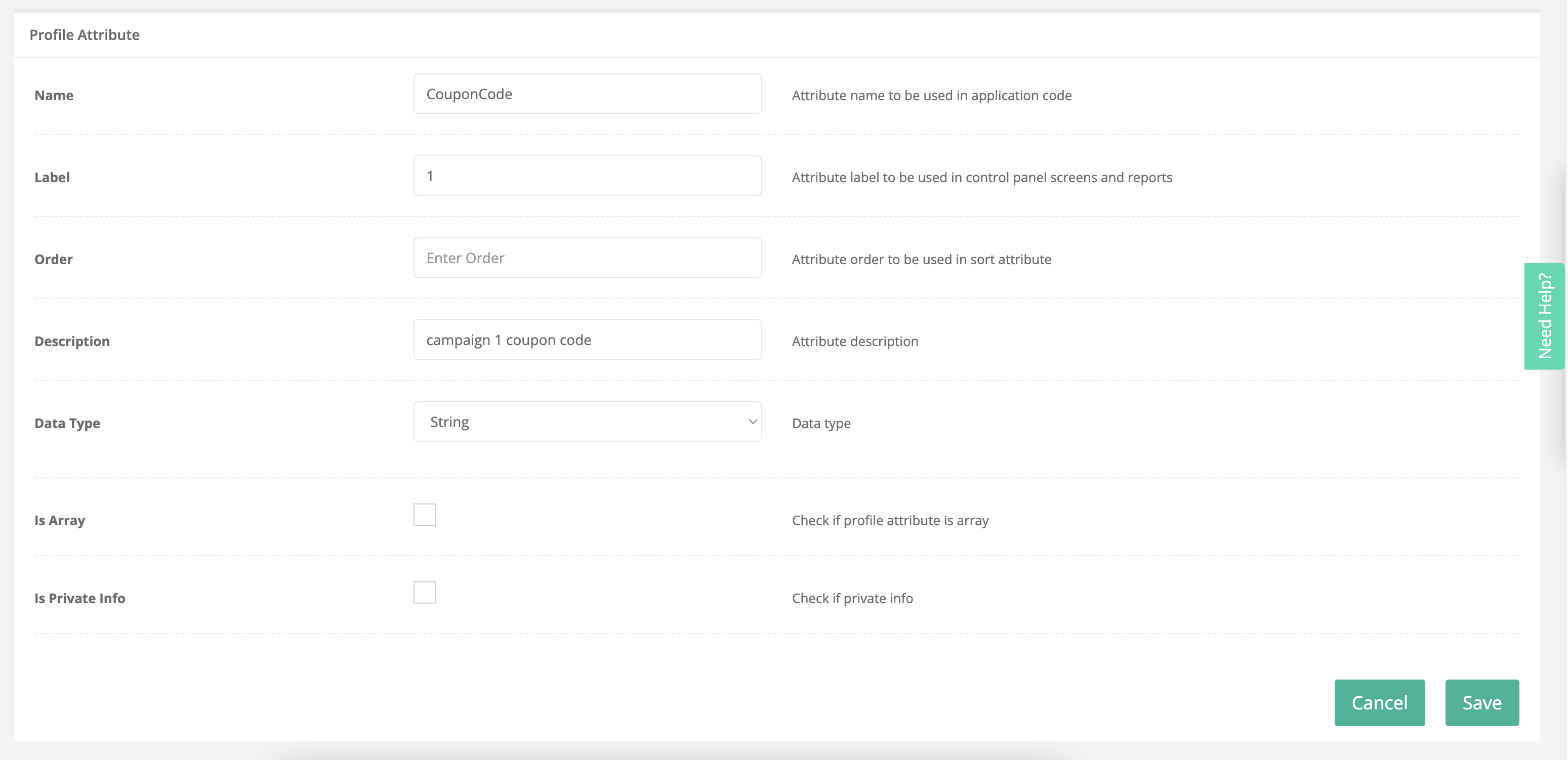
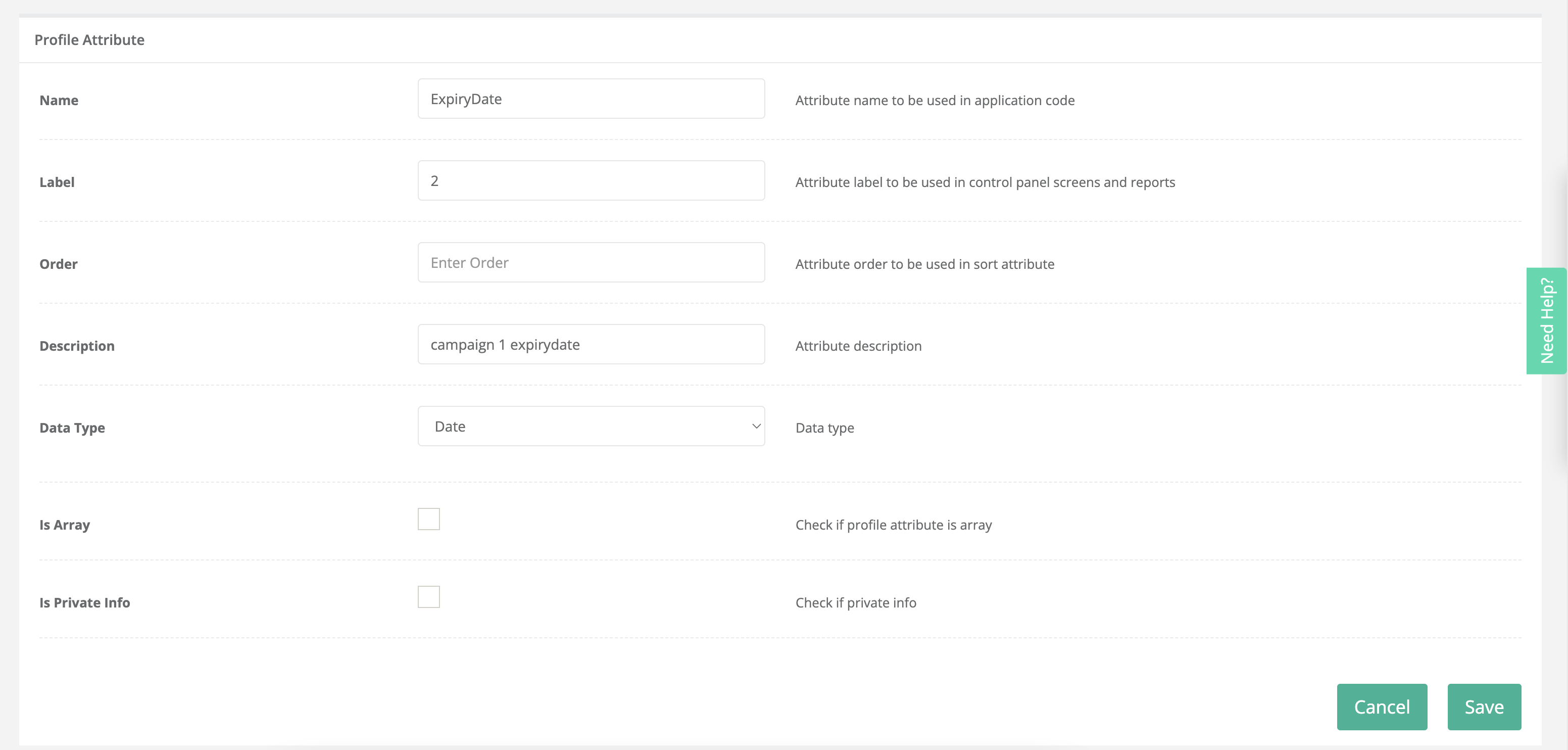
#### 1. Create profile attributes
Create these profile attributes before creating the transactional message:
* A coupon code attribute with the **String** data type.
* An expiry date attribute with the **Date** data type.
Use stable names such as `couponcode` and `expirydate`. These attributes receive the assigned reward values.
#### 2. Create the transactional message
Create and activate a transactional push or SMS campaign. In its personalized message, insert the coupon code and expiry date attributes.
For example:
> Your reward is ready!\
> Code: `{couponcode}`\
> Valid until: `{expirydate}`
The values are replaced when Netmera assigns a coupon code.
{% hint style="warning" %}
Activate transactional messages before uploading a coupon code list.
{% endhint %}
#### 3. Upload and connect coupon codes
Go to [Coupon Code Lists](/netmera-user-guide/panel-settings/settings/messaging-and-content/coupon-code-lists.md) and upload a list. Set its name, codes, warning limit, and expiry date.
Enable **SMS** or **Push Notification** delivery on the list. Netmera then assigns the code during the spin and sends it through the active transactional message.
### Manage coupon availability
Each slice can use a separate coupon list. When a list expires or runs out of valid codes:
* The related slice becomes inactive.
* Its weight becomes **0%**.
* Netmera rebalances the remaining active slices.
The widget is marked **Finished** when no slice has valid codes remaining.
### Measure performance
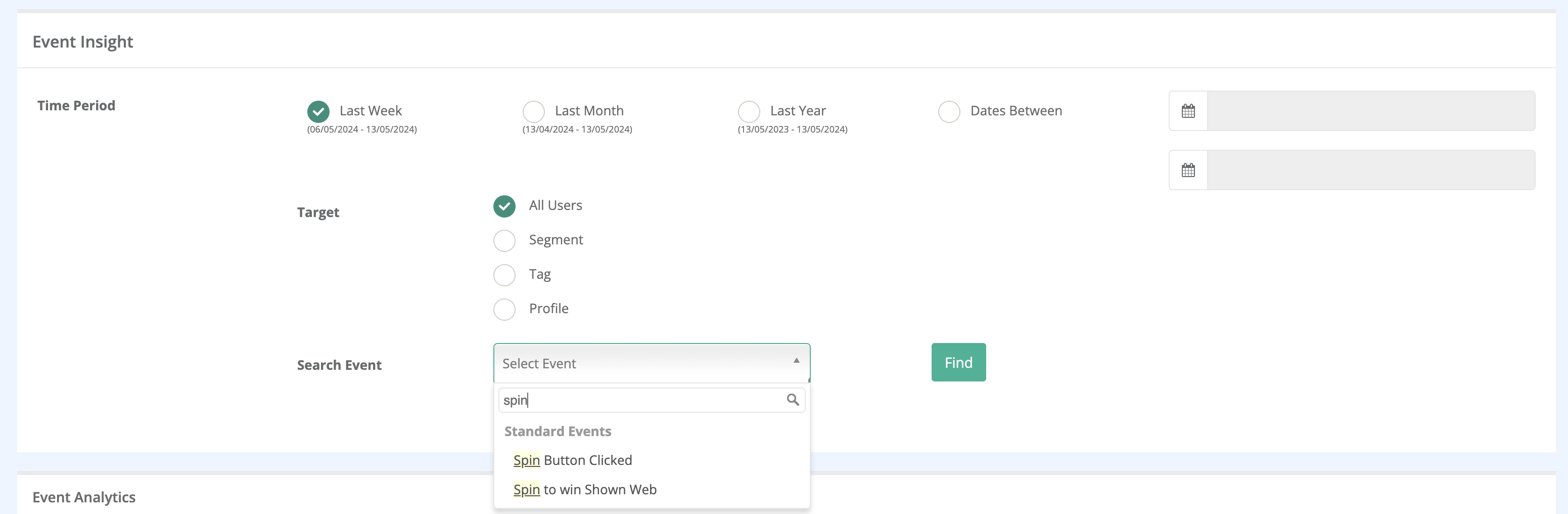
Track these events in **Analytics → Event Insight**:
* **Spin To Win Shown** — a wheel impression.
* **Spin Button Clicked** — a completed spin action.
* **Coupon Code Copied** — a code copied from the success screen.
* **Coupon Code Assigned** — a successful reward assignment.
* **Coupon Code Assigned Failed** — a failed reward assignment.
### FAQs
**How often can users receive another code?**
Users can spin and receive a code once every 24 hours. To allow only one spin, enable **Show Only Once** in the automated campaign.
**Do users need to log in to receive a coupon code?**
No. Push and SMS delivery require the relevant user data and permissions.
**Can I show different wheels to different segments?**
Yes. Use automated campaign targeting rules to control eligibility.
**Can I schedule the widget for specific dates?**
Yes. Use the automated campaign's time window scheduling.
---
# Agent Instructions
This documentation is published with GitBook. GitBook is the documentation platform designed so that both humans and AI agents can read, navigate, and reason over technical content effectively. Learn more at gitbook.com.
## Querying This Documentation
If you need additional information that is not directly available in this page, you can query the documentation by asking a question.
Perform an HTTP GET request on the following URL with the `ask` and `goal` query parameters:
```
GET https://user.netmera.com/netmera-user-guide/omnichannel-engagement/widgets/build-a-widget/spin-to-win-campaigns.md?ask=&goal=
```
`ask` is the immediate question: it should be specific, self-contained, and written in natural language.
`goal` is what the user is ultimately trying to achieve, the reason they need the answer. Sharing it helps GitBook give you a better, more relevant answer. A goal is most helpful when it describes the outcome the user wants rather than restating the question. For example, with `ask=how do I create an API token`, a goal like `automate deployments from our CI pipeline` lets GitBook tailor the answer to that use case.
The response will contain a direct answer to the question and relevant excerpts and sources from the documentation.
Use this mechanism when the answer is not explicitly present in the current page, you need clarification or additional context, or you want to retrieve related documentation sections.